Change a script that runs when an alert opens.
Alerts › scripts. Edit is on the row, before delete. Company admins can change when it matches, which script, and where it runs.
Open Alerts › scripts
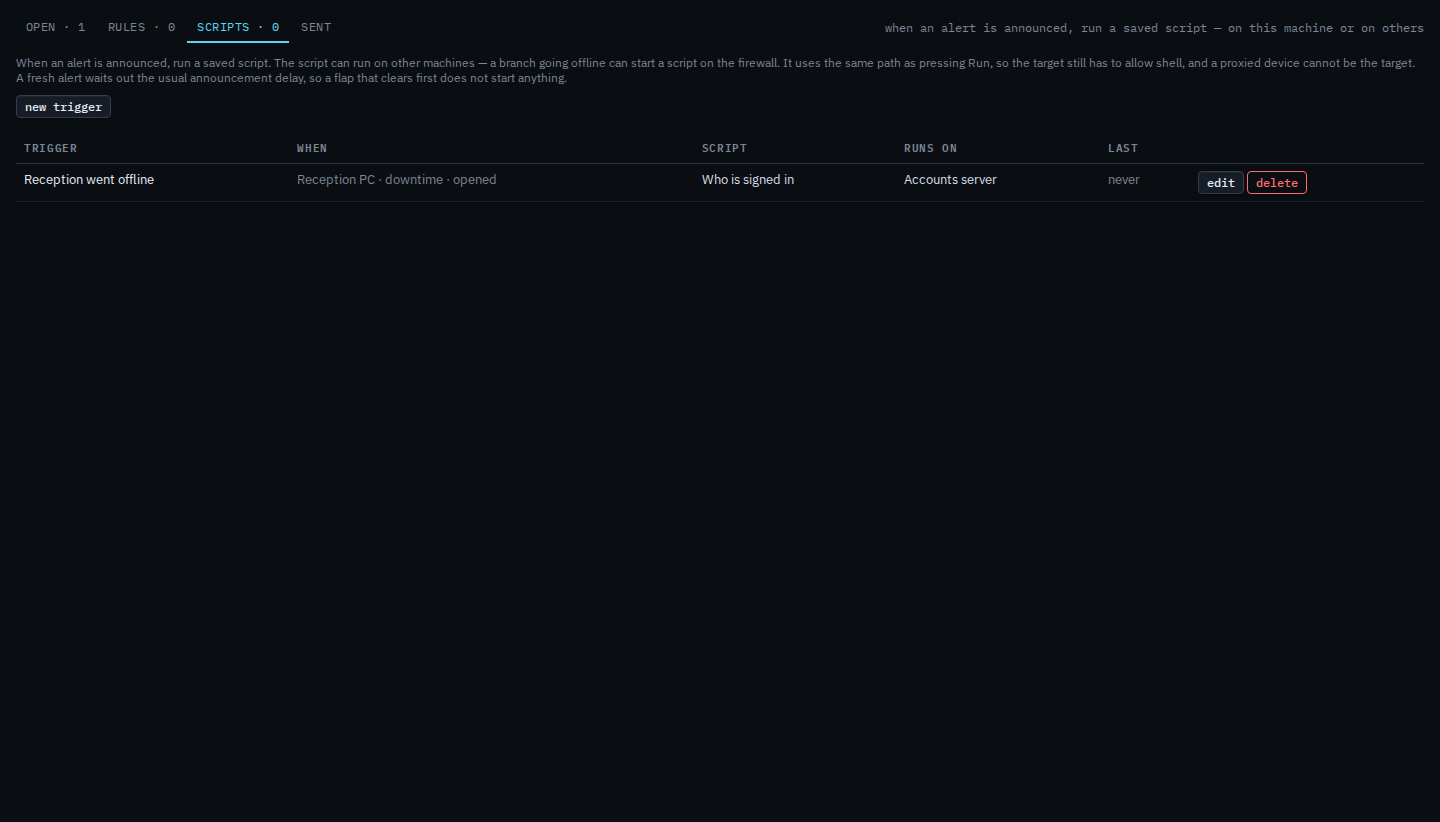
The saved trigger is named Reception went offline. It matches downtime on Reception PC and runs “Who is signed in” on Accounts server. Edit is on the row. The first press opens the editor. It does not ask you to confirm.
Change it, then save
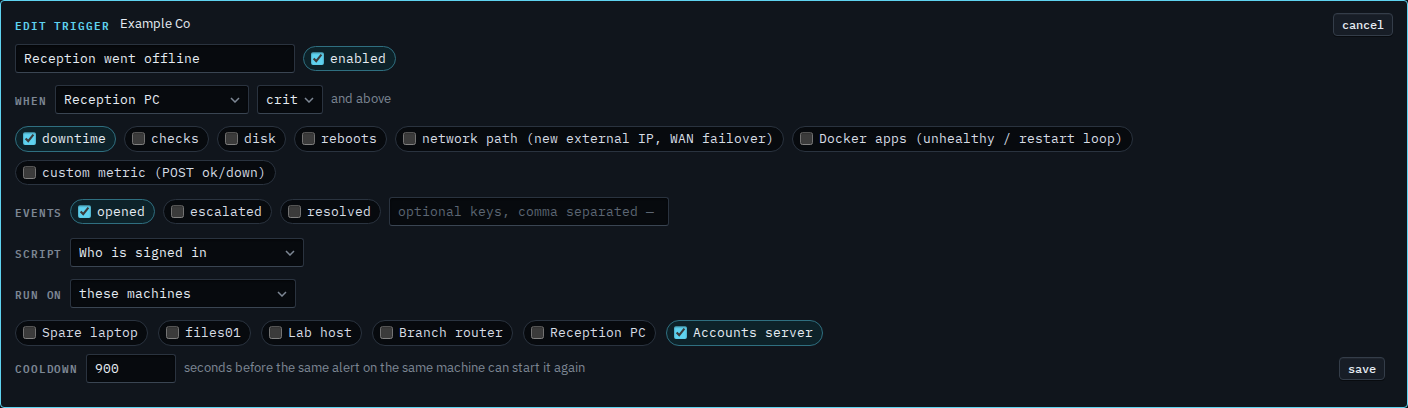
The editor says edit trigger. The name is still Reception went offline, the script is still “Who is signed in”, and it still runs on Accounts server. Here the floor is moved to crit and above. A warning would no longer start this script. Downtime on Reception PC is still ticked, and the event is still opened. Press save when that is what you want. This shot stops before that, so the trigger on the list is still warn and above. Cancel drops the unsaved change.
Creating one is Run a script when an alert opens. The three floors are Only run a script for a critical alert. Removing one is Remove a script that runs when an alert opens. Leaving the row and stopping it is Turn an alert script off.