Run a script on every machine in a role.
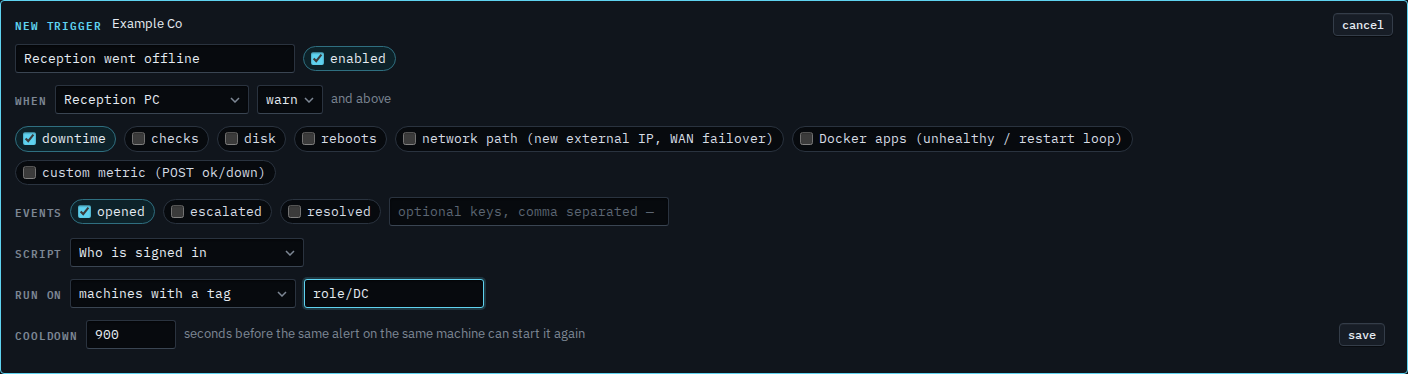
Alerts › scripts. Machines with a tag shows a path box. role/DC is the domain controller in Example Co.
Say which machine raises the alert
Open Alerts › scripts and press new trigger. Name it. Set when to Reception PC, and leave downtime ticked. Choose Who is signed in. Run on is still these machines. The next step changes that to a role, so the script runs on the domain controller when Reception PC goes offline, not on Reception PC itself.
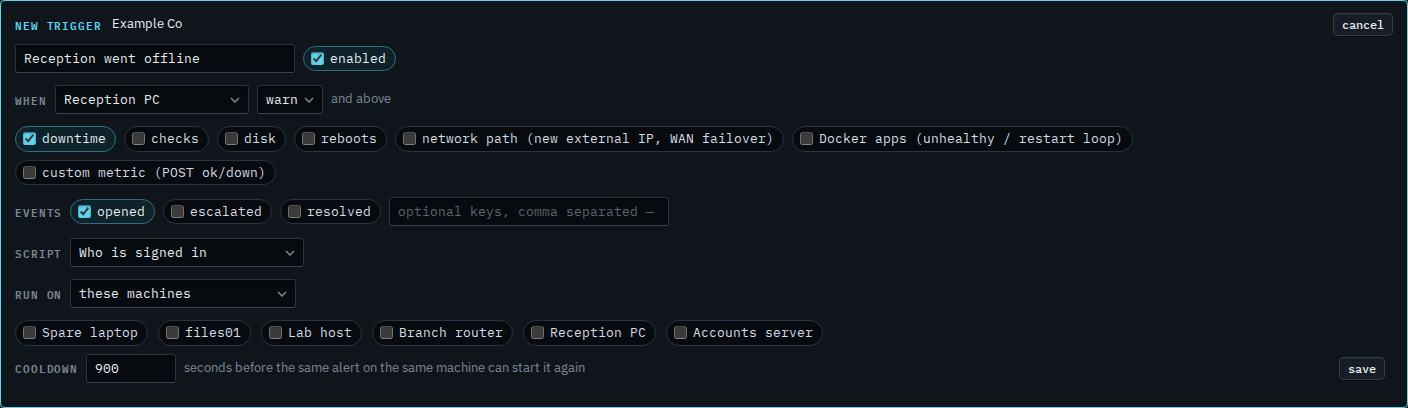
Set run on to role / DC
Set run on to machines with a tag and type role/DC. Accounts server is that role, so the script runs there. Lab host is role/hypervisor, so it stays out. A path also covers anything nested under it. Each of those machines still has to allow shell. Press save when this is the one you want. This shot stops before that. Cancel drops the draft.
The machine that raised the alert, instead of a role, is Run a script on the machine that raised the alert. Ticking particular machines is Run a script when an alert opens. Only a full disk is Run a script only when a disk fills. Putting the role on a machine is Put a machine in a role.