Check that a host answers a ping.
Health › checks. Pick Ping a host. The agent pings that address on a schedule. You are still pushing a document, not a script.
Pick Ping a host and name the address
Open the machine, then health › checks. The primitive is Ping a host (ICMP). Host is the gateway, a server, or any address this machine should be able to reach — here, 10.1.1.1, the router on Accounts server. Packets is how many to send (1–10). Max loss is the percent that still counts as up. Max average milliseconds is optional. Add a disk or ping check is the same editor for free space.
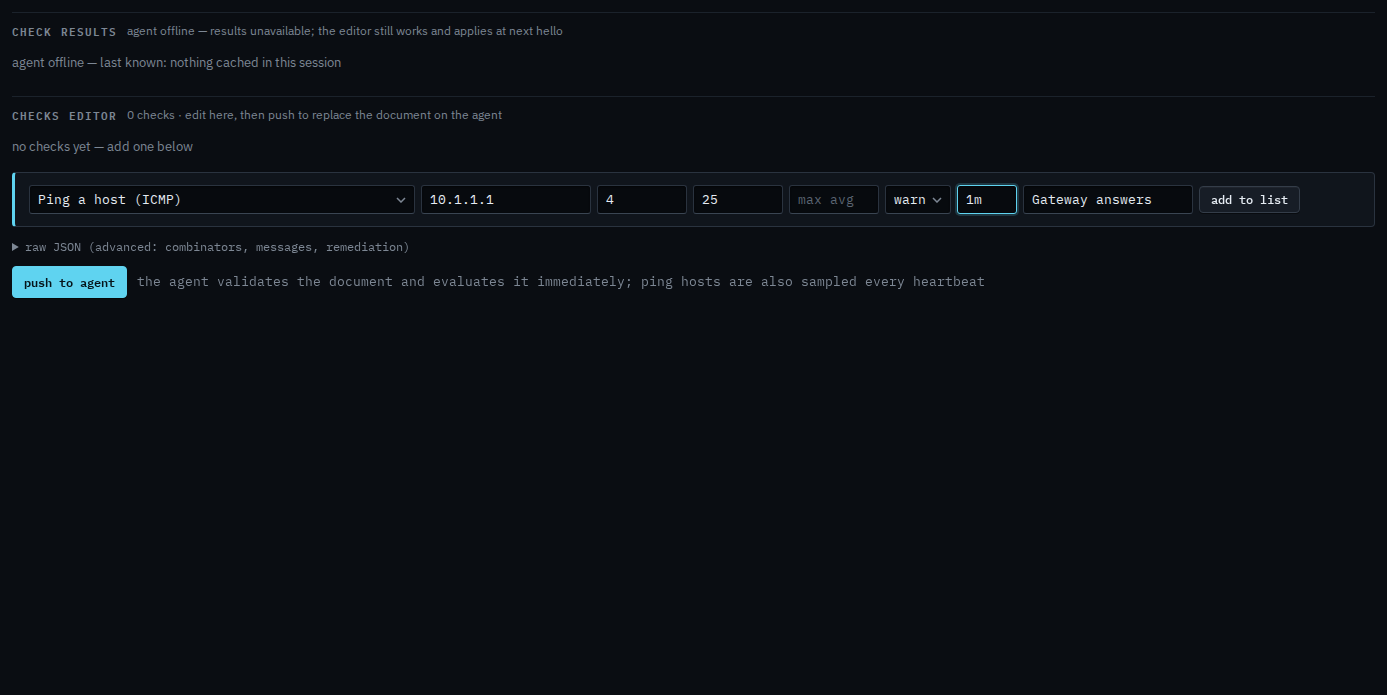
Add to list, then push
Press add to list. The check sits in the document with the name you gave it. Push to agent is the next click, and it asks you to confirm. Push replaces the whole document. This shot stops before that, so nothing has been sent. When the host stops answering, or the loss is over the limit, the alert is a check failure. The same address then appears on the trends tab.
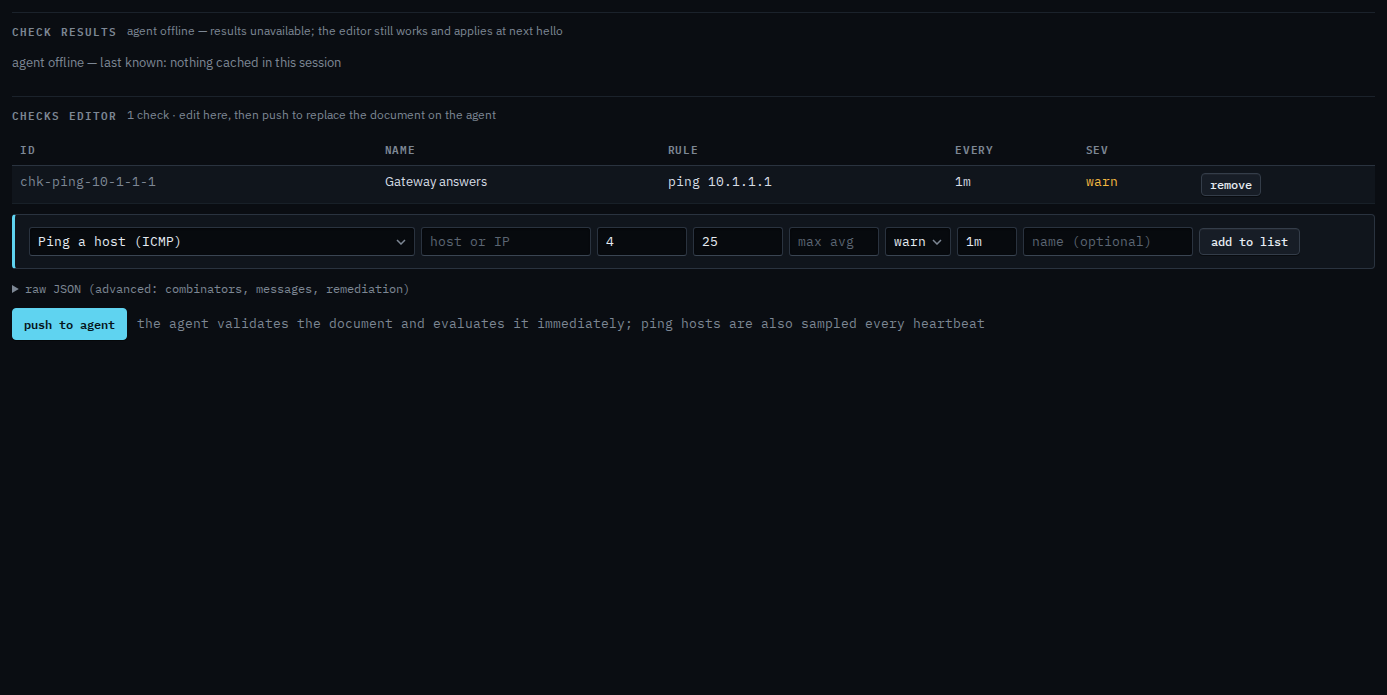
Push is a two-step button. The agent must be online to evaluate. You can still add the check while it is offline, and it applies at the next hello. Free space is Add a disk or ping check. A name that must resolve is Check that a name resolves.