Show only machines that are online.
The tick sits next to Needs attention. The number beside it is the same count as the dashboard machines tile: up, and still included in alerts.
Open Fleet with the tick clear
Open Fleet. Online is clear. The list still has every machine in the company, including ones whose dot is off. The count in the heading is how many are up and included in alerts. In this picture that count is 0, because none of these machines have a live tunnel.
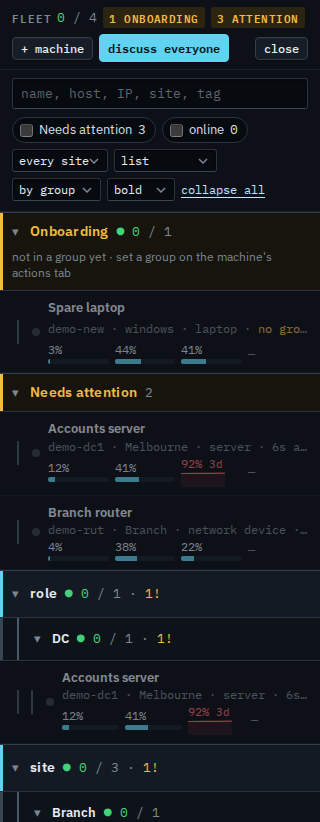
Tick online
Tick online. The list keeps a machine only when it is up and included in alerts. Example Co has none connected, so the list says no agents. The heading count stays 0. On a live company the green dots remain and the rest drop out. Clear the tick to put the whole company back. The choice lasts for this visit to the console.
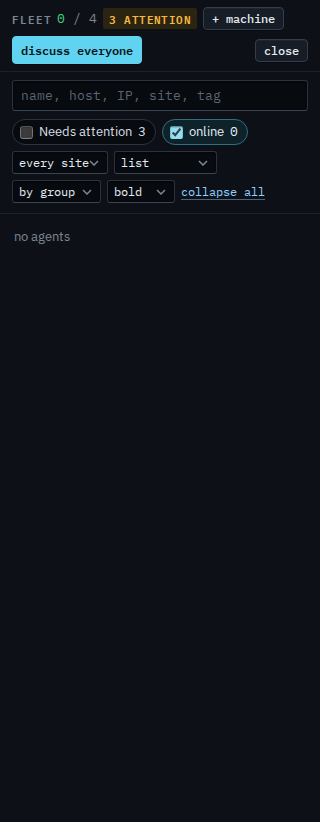
Machines that need a look, including ones that are off, are Show only machines that need attention. Taking one out of alerts is Take a machine out of every alert. A desktop that should stay quiet overnight, and still show here when it is on, is Leave a desktop out of offline alerts. The same tick for a sub-company user is Show only your machines that are online.