Send a test of an alert rule.
Alerts › rules. Test is on the row, one press. The result is a row under Alerts › sent.
Open Alerts › rules
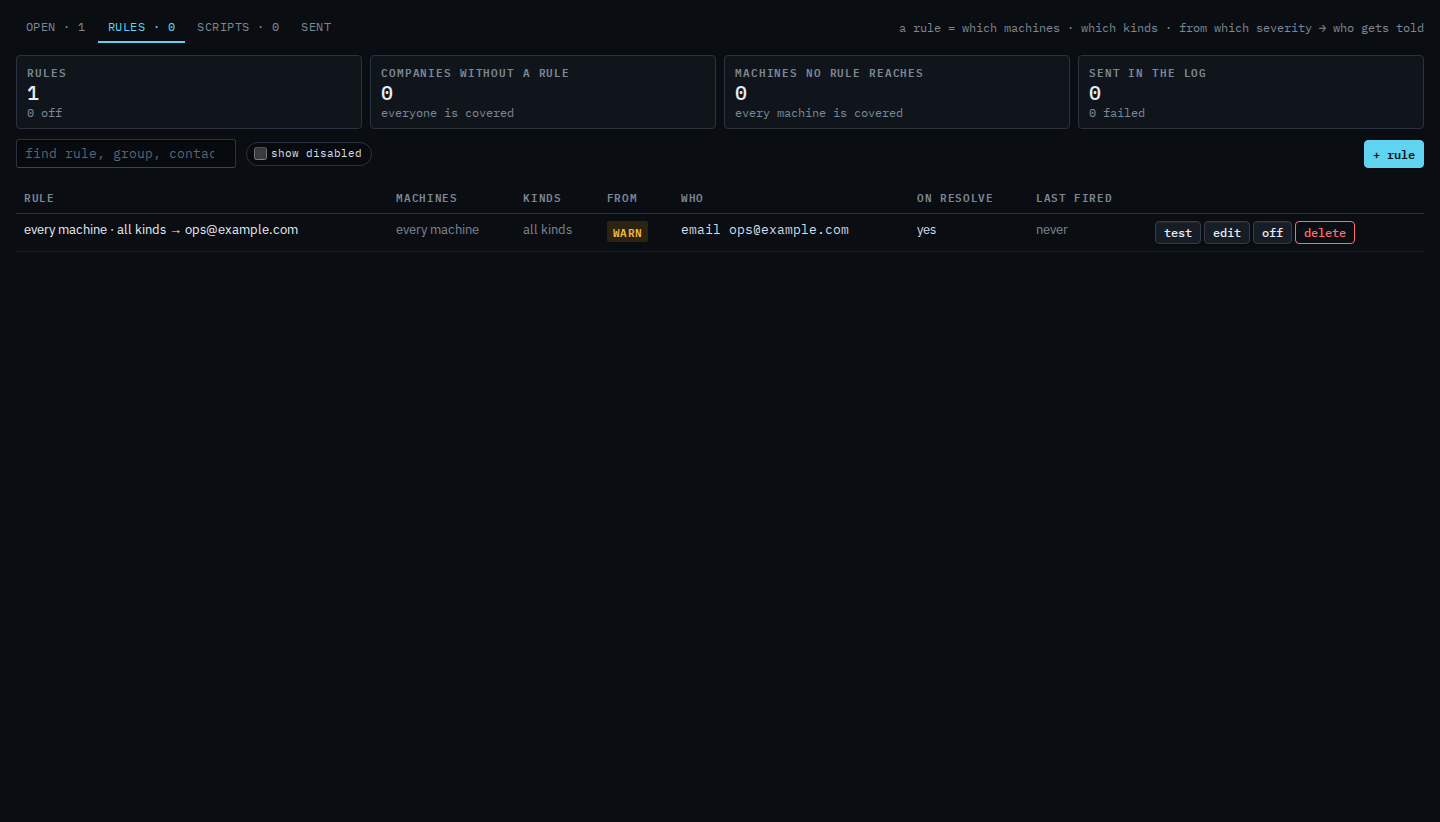
The saved rule is named every machine · all kinds and tells ops@example.com. Test is the first button on the row. One press sends a synthetic message to that contact. It does not open an alert on a machine, and it does not change the rule. This shot is before the press.
Read the result under Alerts › sent
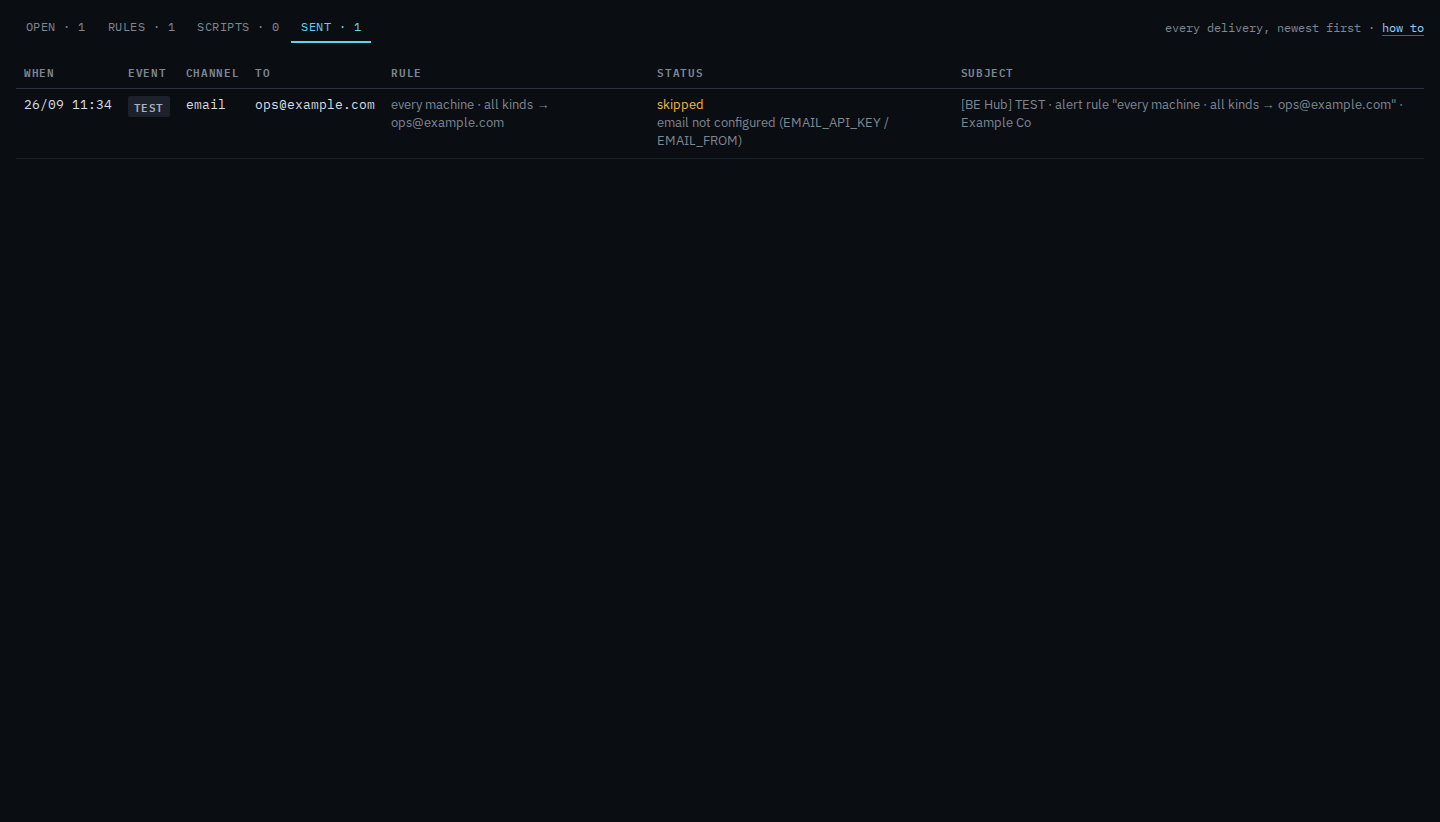
Press test. The button says sending…, then the result, then returns to test. The lasting record is Alerts › sent. The event is test, the channel is email, and the address is ops@example.com. This hub has no mail provider, so the status is skipped and the row says email is not configured. Nothing was transmitted. A hub with mail says sent. Do not press test on a rule you do not mean to exercise. A disabled rule's test still sends.
Creating the rule is Tell someone when a machine needs attention. Changing it without sending is Change an alert rule. The delivery log is See what an alert sent.