Say what a blank in a script may contain.
Scripts › library. Filter to the kind, press edit, and set the shape on the variable row. The value is written straight into a command that runs as SYSTEM or root.
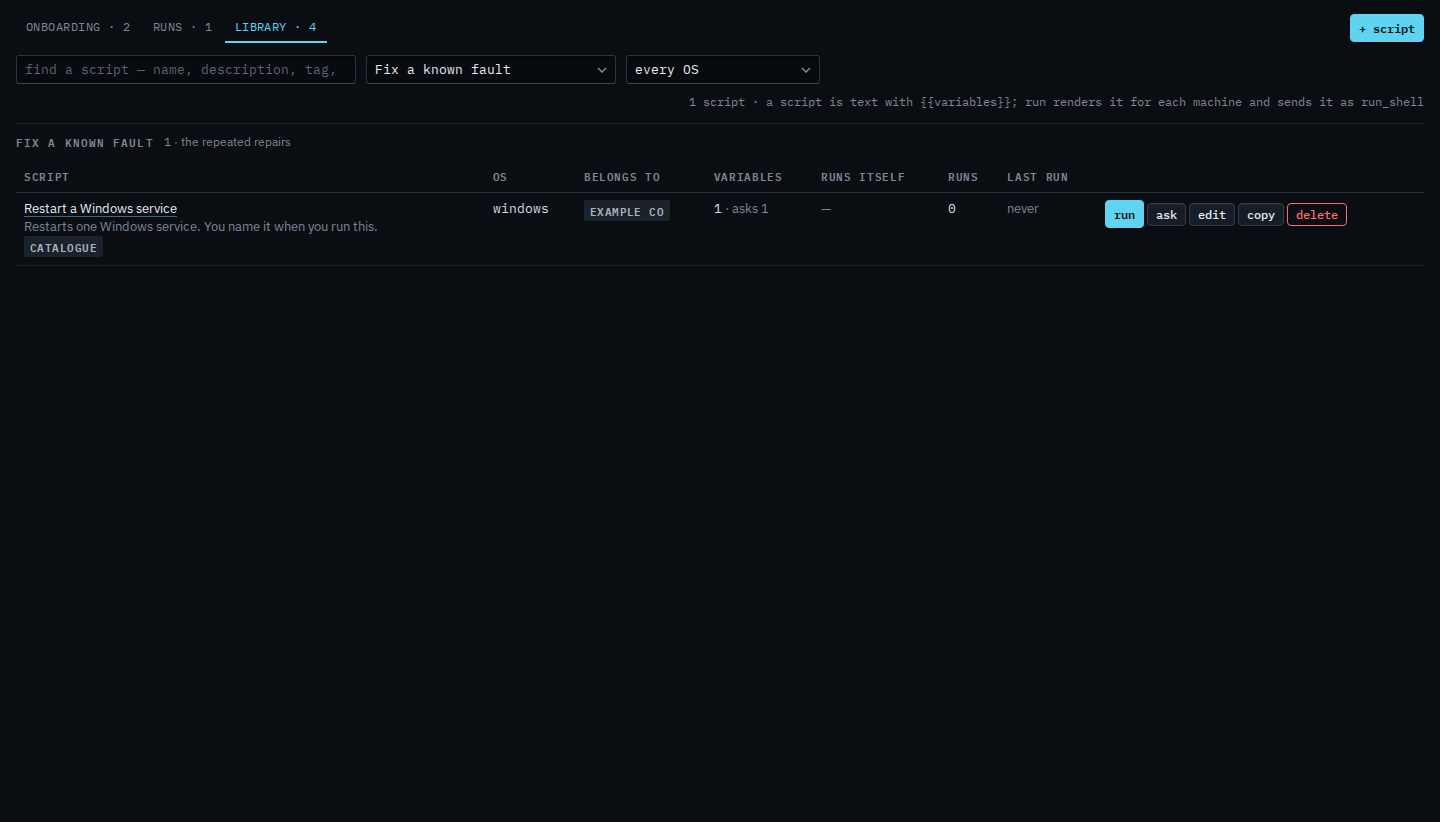
Filter the library to the kind
Open Scripts › library. Set the kind to Fix a known fault. Restart a Windows service is the only row. It asks for one value, the service name. Press edit. The button is for a company admin. Operators run the script and cannot change the shape.
Set the shape
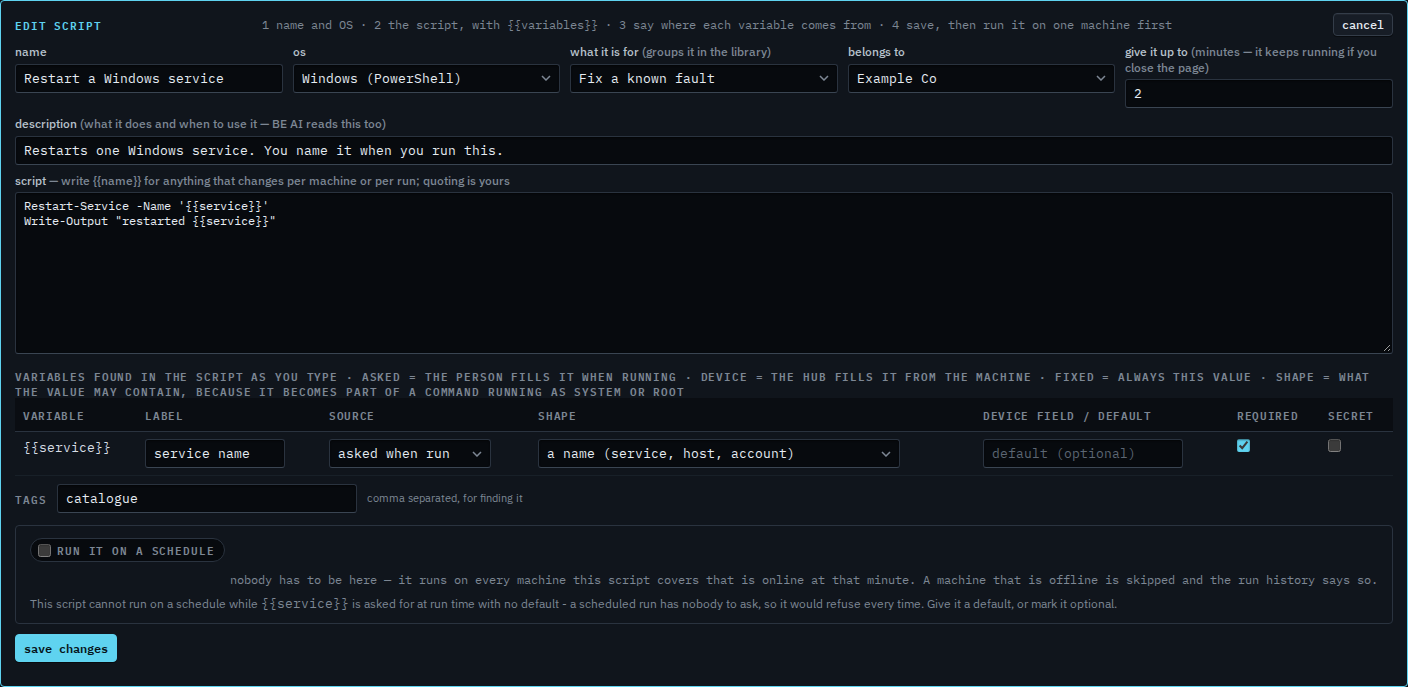
The variable table lists {{service}}. Source is asked when run. Shape is a name (service, host, account), and required is ticked. A name is letters, digits and a few marks, so a semicolon or a quote is refused before the command is sent. The other shapes are plain text, a number, a path, and raw. Raw can carry shell characters; use it only for a value you control. Inside single quotes, a path with spaces is allowed, because the closing quote is the only mark that still matters there. The command here already puts {{service}} in single quotes. The yellow line says this script cannot run on a schedule while that question has no default. This shot stops before save changes.
Typing the answer is Answer what a script asks. Filling it from the machine is Fill a script blank from the machine. A value that never changes is Always send the same value in a script. Writing the command is Add a script to the library. A required question with no default cannot be scheduled — Run a script on a schedule. Leaving that question blank is Let a script question be left blank. Keeping the answer out of the run history is Keep a script answer off the record.