See missing updates on one machine.
The company Patches page is every machine. This tab is one box: what it is missing, whether anyone has approved it, and a question for BE AI that stays in the box until you press send.
Open Work › patches
Open the machine, then work › patches. Reception PC was inventoried from Windows Update and winget. The September cumulative update is important, wants a restart, and is already approved. Chrome is moderate and still awaiting. Approve on a row approves that update for the company, the same decision as on Review and approve missing updates. Decline sends it back. Approve security here counts only critical, important and security updates that are still awaiting — here that count is zero, because the important one is already approved. Nothing installs from this tab. Schedule a patch install is the job. See what the patch window is missing is the same inventory as a report.
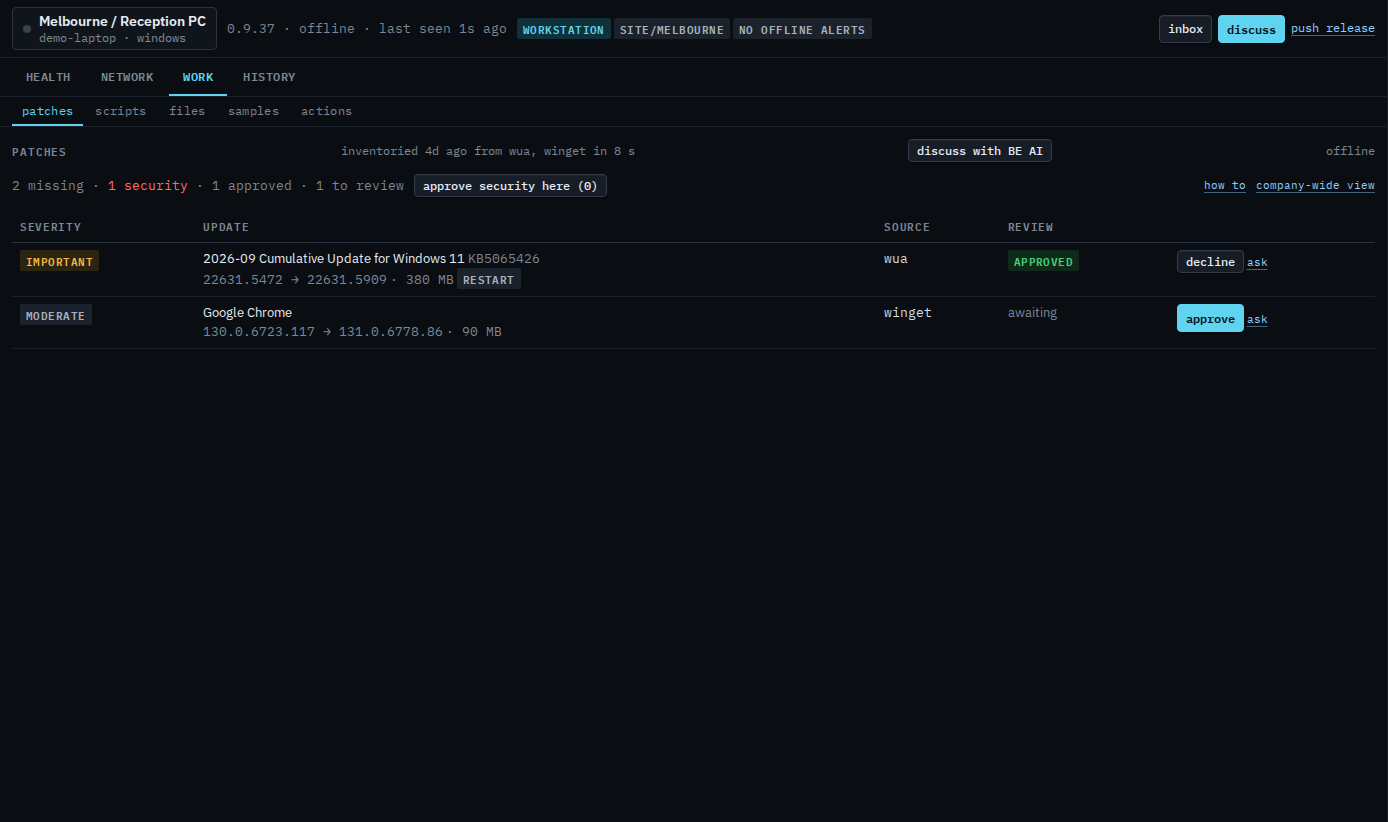
Press discuss with BE AI
The question is already written: which of the missing updates to approve first, what is risky, and which need a restart. It is not sent. Read it, narrow it if you want, then press send. BE AI proposes. Approving an update is still the button on the row. Ask BE AI about a machine is the same window when you open it yourself.
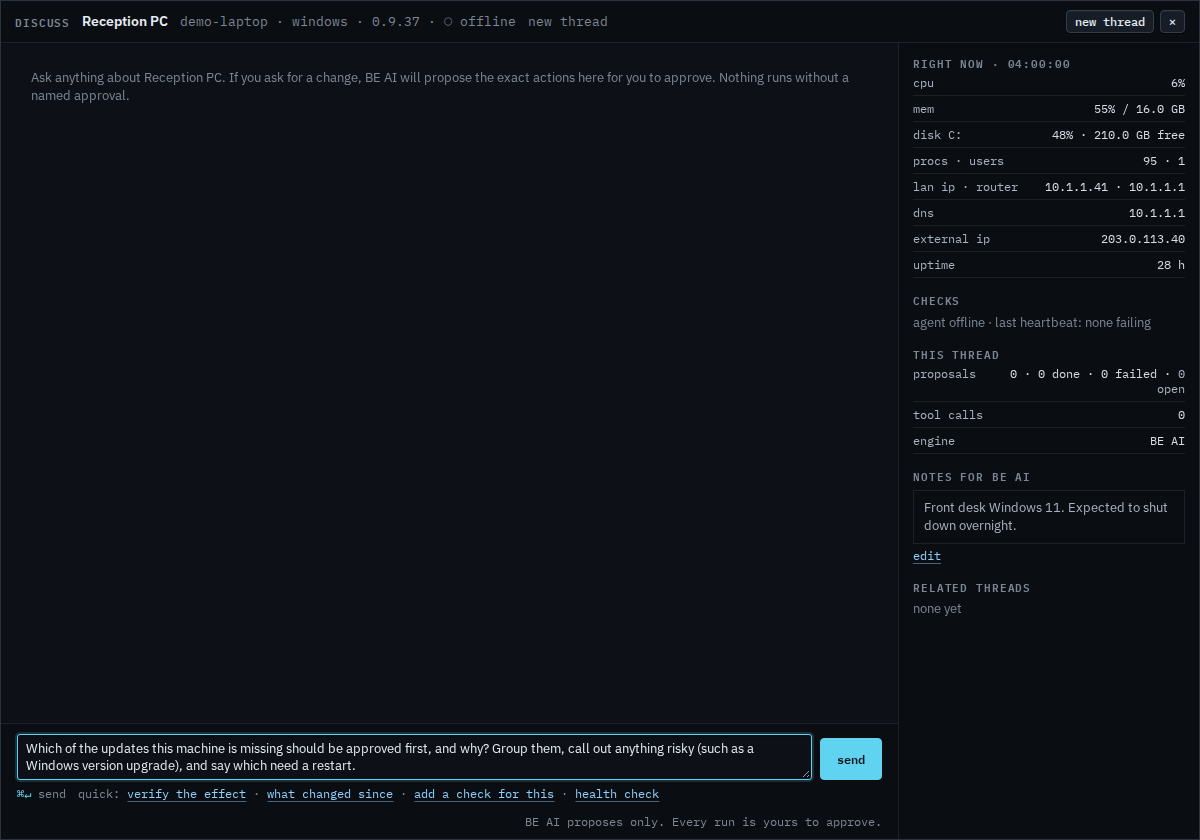
Scan now and install approved appear when the agent is connected. This demo PC is offline, so the tab is the last inventory. Install the approved updates on this machine is that button, and it only fills the job. Ask on a row is Ask about one missing update. Send is still yours. The same question for every machine is Ask which updates to approve first. Every machine in one table is See which machines are missing updates. A sub-company user on the same tab sees the inventory and ask, and no approve, decline, or install. That page is Read missing updates on your machine.